Built for tradespeople and the people behind their content

For trades & their content creators

Your work deserves
to be seen.

Turn finished jobs, customer reviews and business updates into polished, branded social posts. Start with a ready-made example or give Flaunt a few details and let it write the post for you.
Mobile Image
Mobile Image

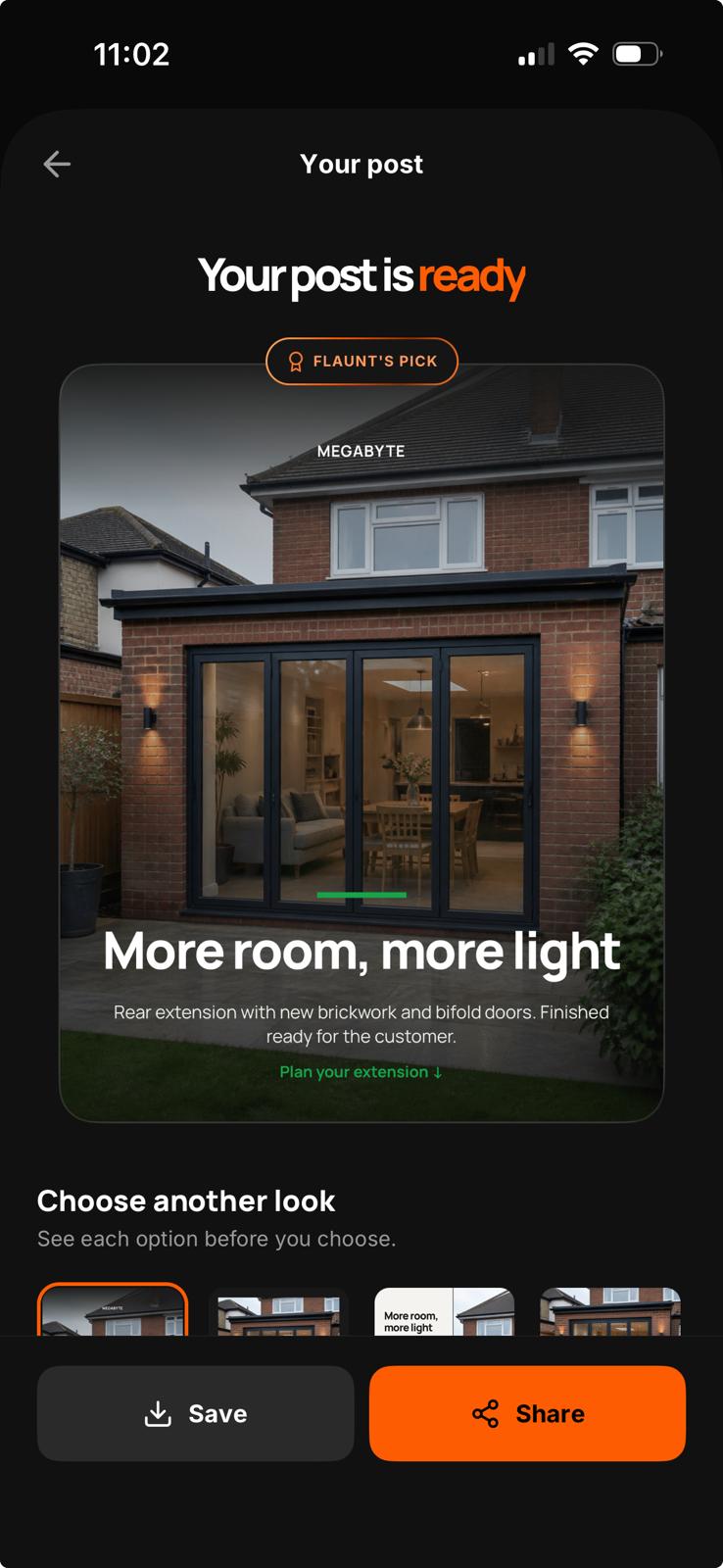
A polished post, without starting from scratch.

A polished post, without starting from scratch.

A polished post, without starting from scratch.

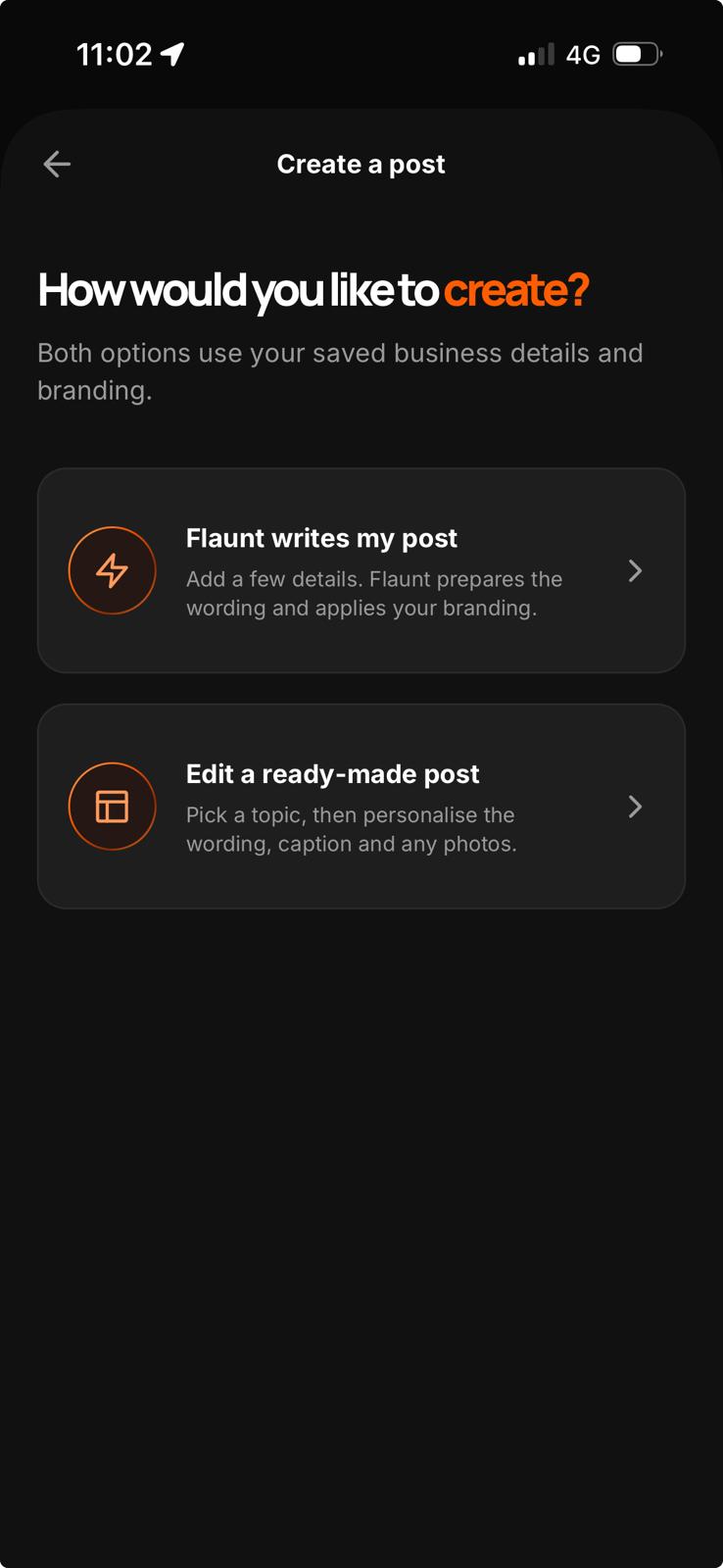
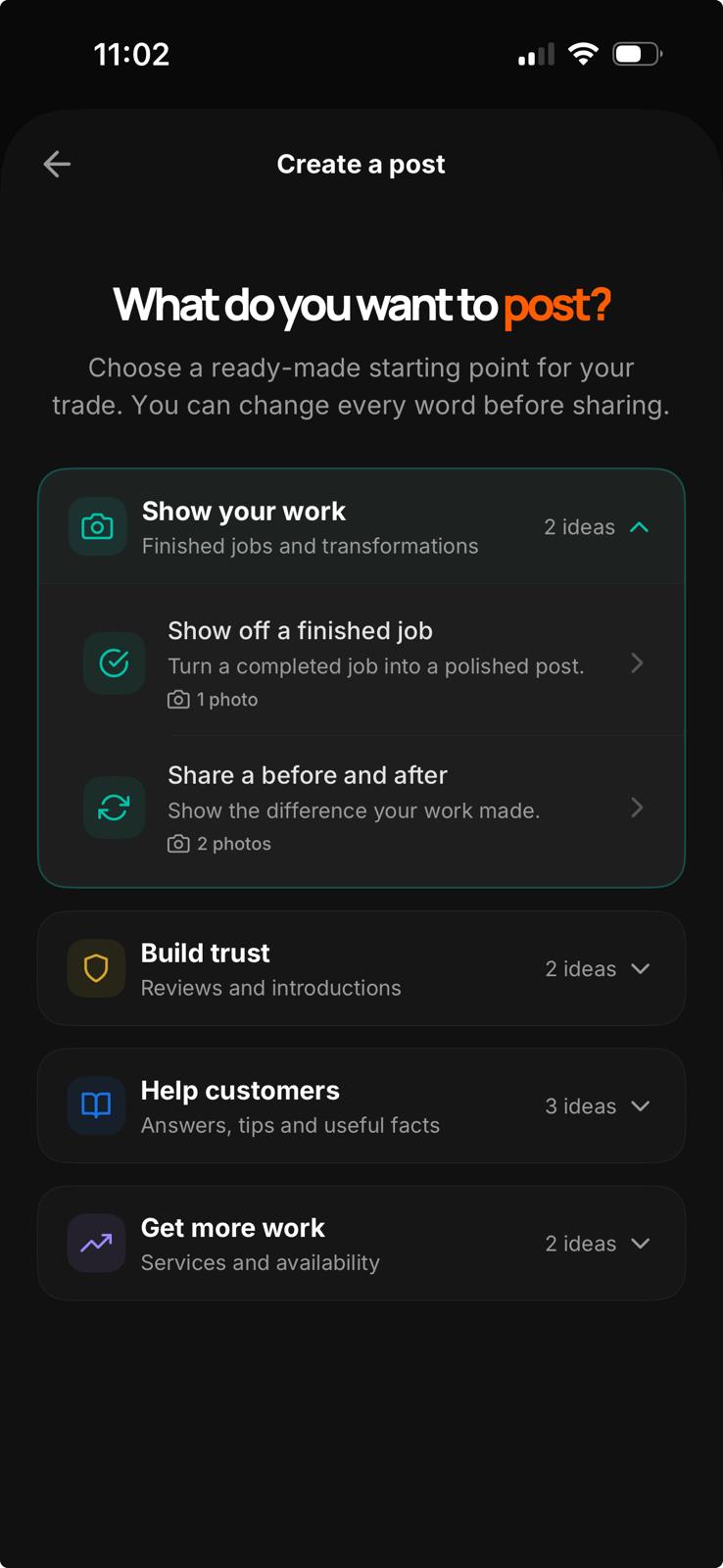
Choose how to start

Make a ready-made post your own, or give Flaunt a few details and let it write the wording for you.

Pick what you want to say

Show a finished job, share a review, promote a service and more. Choose the post idea that fits your update.

Make it yours

Add your business name, brand colour and optional logo. Use your own photos and editing the wording.

Save and share

Save the finished post, copy its caption and hashtags, then share it wherever you manage your social content.

On the tools or behind the posts.

On the tools or behind the posts.

Whether you run the business or manage its social content, Flaunt gives you a quicker way to turn real work into consistent, professional posts.

Frequently Asked Questions

What is Flaunt?

Flaunt is an iPhone app that helps tradespeople and local service businesses create branded social posts. Choose a ready-made starting point or add a few details and let Flaunt write the post for you.

Who is Flaunt for?

Flaunt is designed for tradespeople, local service businesses and anyone who manages their social content. You don’t need design, marketing or copywriting experience.

What kinds of posts can I create?

You can show finished work, create before-and-after posts, share customer reviews, explain why customers choose you, answer FAQs, share useful tips and trade facts, promote services or advertise your availability.

Do I need to supply a photo?

It depends on the post. Finished jobs, before-and-after posts and service promotions work with photographs, while reviews, FAQs, tips, facts and availability posts can be created without one.

Can I use my own branding?

Yes. Add your business name, choose a brand colour and upload a logo if you have one. Flaunt applies them to your posts automatically.

Can I change what Flaunt creates?

Yes. You can edit the wording, change photographs where applicable and choose from four professionally designed looks before saving your post.

How do I share a finished post?

Save the finished image to your phone, copy the generated caption and hashtags, or use the iPhone share sheet to send it to the app of your choice. Flaunt never publishes anything without you.

How much does Flaunt cost?

Your first post is free. After that, you can choose a monthly or annual Flaunt Pro subscription. Current prices are shown in the app before you subscribe.

Do I need to create a Flaunt account?

No. You can create your free post and subscribe without making a Flaunt account. Signing in is optional and can help you keep business details connected to your profile.

What is Flaunt?

Flaunt is an iPhone app that helps tradespeople and local service businesses create branded social posts. Choose a ready-made starting point or add a few details and let Flaunt write the post for you.

Who is Flaunt for?

Flaunt is designed for tradespeople, local service businesses and anyone who manages their social content. You don’t need design, marketing or copywriting experience.

What kinds of posts can I create?

You can show finished work, create before-and-after posts, share customer reviews, explain why customers choose you, answer FAQs, share useful tips and trade facts, promote services or advertise your availability.

Do I need to supply a photo?

It depends on the post. Finished jobs, before-and-after posts and service promotions work with photographs, while reviews, FAQs, tips, facts and availability posts can be created without one.

Can I use my own branding?

Yes. Add your business name, choose a brand colour and upload a logo if you have one. Flaunt applies them to your posts automatically.

Can I change what Flaunt creates?

Yes. You can edit the wording, change photographs where applicable and choose from four professionally designed looks before saving your post.

How do I share a finished post?

Save the finished image to your phone, copy the generated caption and hashtags, or use the iPhone share sheet to send it to the app of your choice. Flaunt never publishes anything without you.

How much does Flaunt cost?

Your first post is free. After that, you can choose a monthly or annual Flaunt Pro subscription. Current prices are shown in the app before you subscribe.

Do I need to create a Flaunt account?

No. You can create your free post and subscribe without making a Flaunt account. Signing in is optional and can help you keep business details connected to your profile.